A custom plugin
django CMS does not come with built-in plugins. We have been using plugins (Text, Image, etc.) provided by packages such as djangocms-text or djangocms-frontend. Standardized plugins only get you so far. In this chapter you will create a Coffee card plugin: a small reusable component editors can drop into any placeholder to show one of your coffees, with a name, an origin, and a price.
Goal
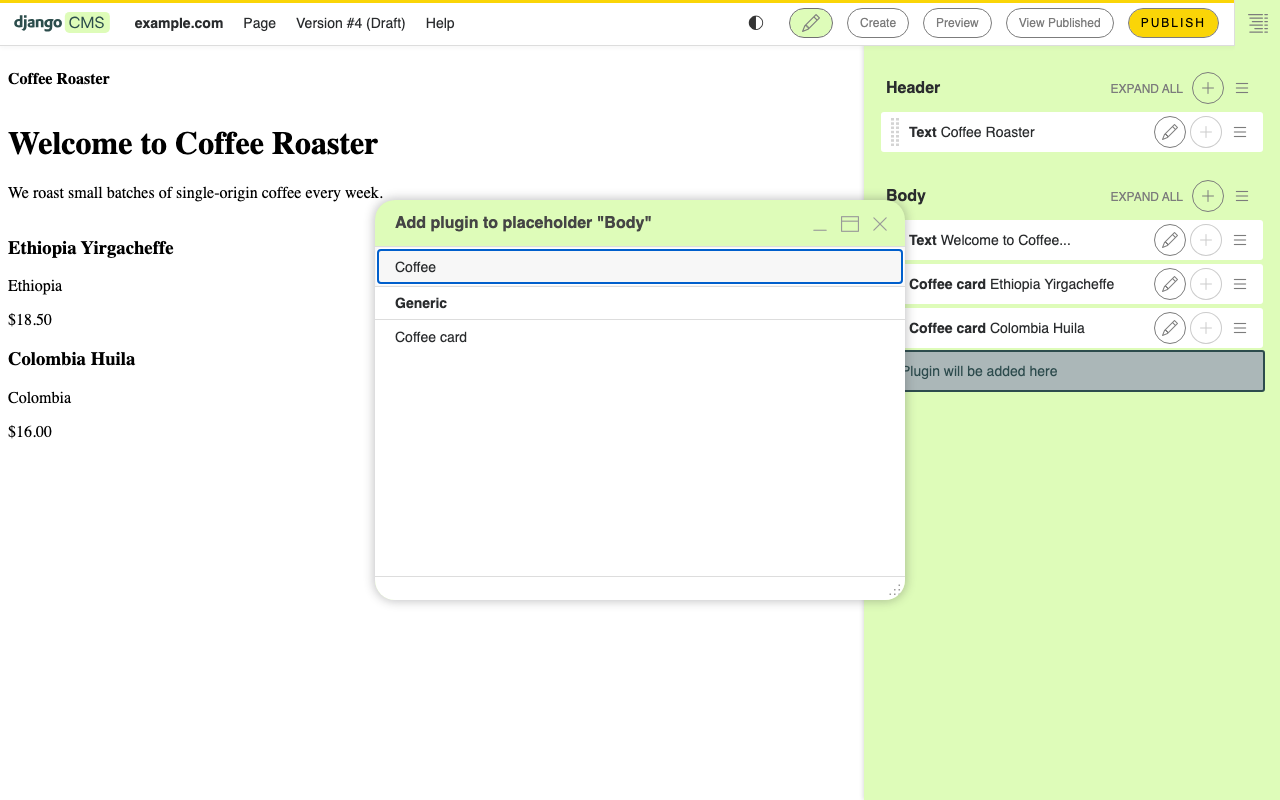
At the end of this chapter, the Add plugin menu in the toolbar contains a Coffee card entry. Choosing it opens a form with three fields. Saving renders a styled card in the placeholder.
1. Create the coffeeshop app
In your project root:
python manage.py startapp coffeeshop
Add it to INSTALLED_APPS in settings.py:
INSTALLED_APPS = [
    # ... existing apps ...
    "coffeeshop",
]
2. Define the plugin model
Plugin data is stored in the database. Django CMS plugin models inherit
from CMSPlugin, not from
models.Model.
Open coffeeshop/models.py and replace its contents with:
from cms.models import CMSPlugin
from django.db import models


class CoffeeCard(CMSPlugin):
    name = models.CharField(max_length=80)
    origin = models.CharField(max_length=80)
    price = models.DecimalField(max_digits=6, decimal_places=2)

    def __str__(self):
        return self.name
Create and run the migration:
python manage.py makemigrations coffeeshop
python manage.py migrate coffeeshop
3. Register the plugin class
The model holds the data. A separate plugin class tells the CMS how
to render it and what label to show in the menu. Plugin classes live in
cms_plugins.py.
Create coffeeshop/cms_plugins.py:
from cms.plugin_base import CMSPluginBase
from cms.plugin_pool import plugin_pool

from coffeeshop.models import CoffeeCard


@plugin_pool.register_plugin
class CoffeeCardPlugin(CMSPluginBase):
    model = CoffeeCard
    name = "Coffee card"
    render_template = "coffeeshop/coffee_card.html"
    cache = True

    def render(self, context, instance, placeholder):
        context["instance"] = instance
        return context
4. Add the render template
Create coffeeshop/templates/coffeeshop/coffee_card.html:
<article class="coffee-card">
    <h3>{{ instance.name }}</h3>
    <p class="origin">{{ instance.origin }}</p>
    <p class="price">${{ instance.price }}</p>
</article>
The instance in the template is the CoffeeCard row the editor
created.
5. Try it
Restart runserver (necessary, because you added a new
cms_plugins.py).
In your browser, open the homepage in edit mode:
Click into the
Bodyplaceholder.Add plugin → notice the new Coffee card entry.
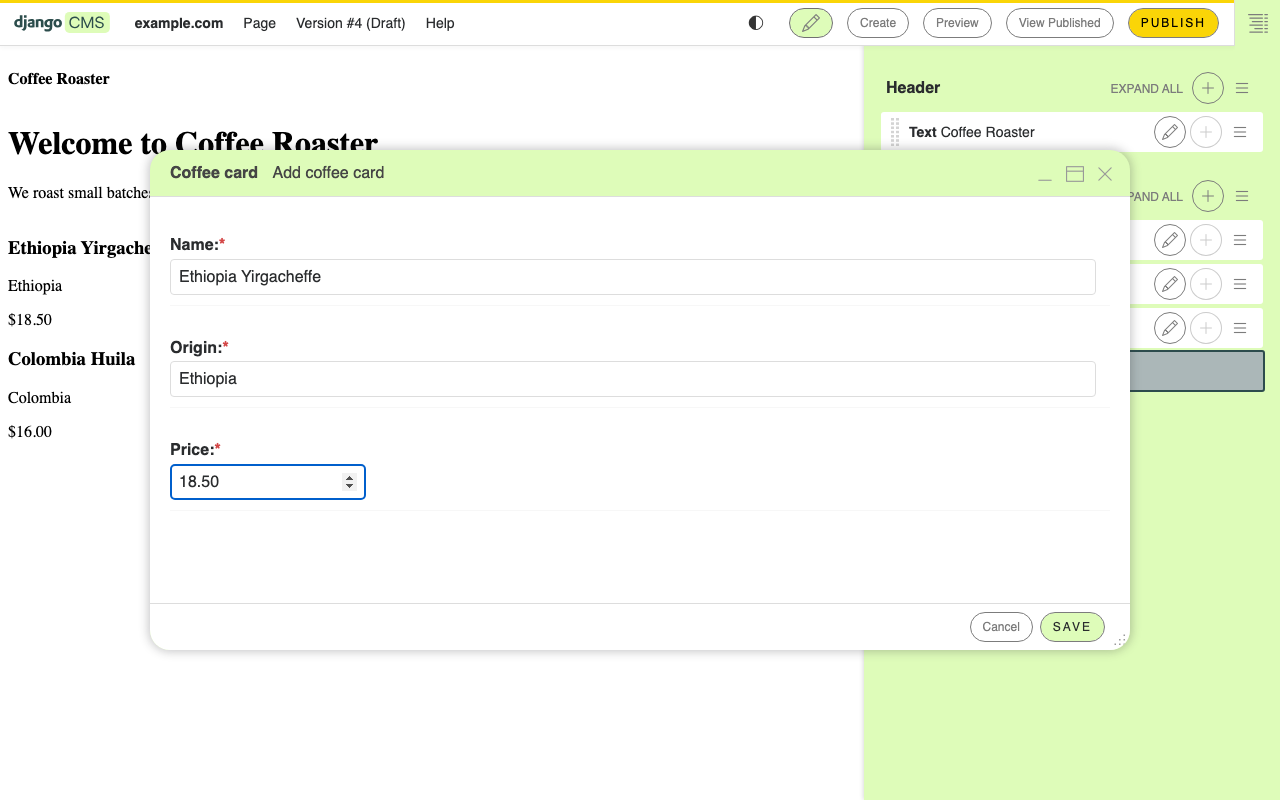
Fill in a name (
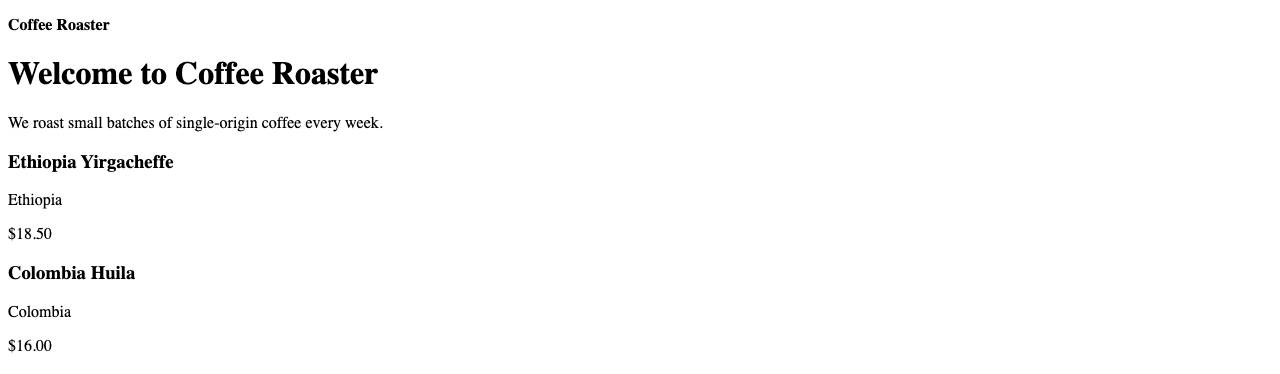
Ethiopia Yirgacheffe), an origin (Ethiopia), and a price (18.50). Save.The card renders in place.
Choosing Coffee card opens the plugin’s editing form. You did not
write this form — the CMS generated it from the three fields on your
CoffeeCard model, the same way the Django admin builds forms from
a ModelAdmin:
Drop a second card in. Drag to reorder. Publish the page when you are happy.
You now have a custom component that any editor can reuse across the site.
What just happened
A django CMS plugin is three small files:
A model that subclasses
CMSPlugin— what data to store.A plugin class registered with
plugin_pool— what the editor sees, which template to render.A template — what visitors see.
Every plugin in every django CMS site follows the same shape.
What we did not do — and where to find it when you need it:
Copying plugins across page versions (
copy_relations) — see How to create Plugins.Plugins that contain other plugins (allow_children) — see How to create Plugins.
Plugins with foreign keys to your own models — same place.
The full plugin API surface — see Plugins.
Going further
How to create Plugins — every advanced plugin pattern.
Plugins — why the model/view/template split, and how plugins relate to placeholders.
In the next chapter we will leave plugins behind and mount an entire Django app on a CMS page using an apphook.