Install django CMS with Docker
The django CMS quickstart project is a Docker-based production-ready setup. If you know your way around Docker, you will be able to quickly set up a project that is ready for deployment.
For a simpler local setup without Docker, see Installing django CMS.
Prerequisites
Install Docker from docker.com. If you have not used Docker before, read the Docker getting started guide.
Setup
Open a terminal and navigate to your projects folder:
git clone git@github.com:django-cms/django-cms-quickstart.git
cd django-cms-quickstart
docker compose build web
docker compose up -d database_default
docker compose run web python manage.py migrate
docker compose run web python manage.py createsuperuser
docker compose up -d
Visit http://localhost:8000/admin and log in with your superuser credentials.
The quickstart project
The quickstart project is a minimal Django project with production-ready defaults including:
PostgreSQL database configuration
Static and media file handling
Production-ready settings structure
Docker Compose configuration for development and production
For more details, see the quickstart repository README.
Creating pages
Once logged in:
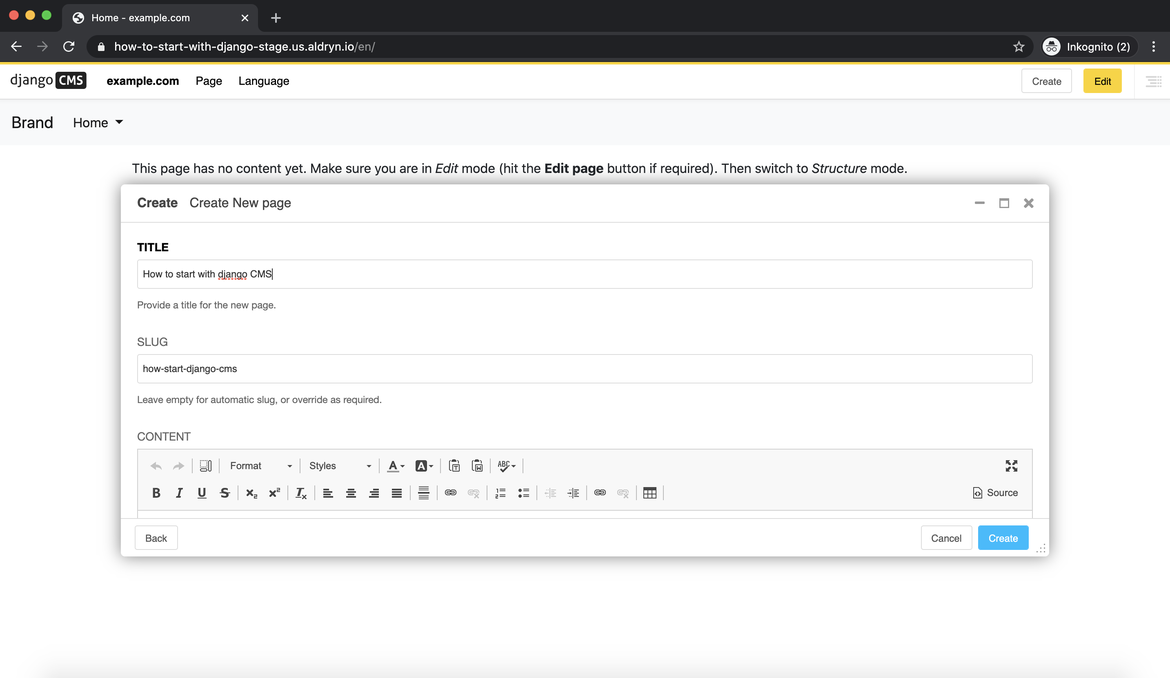
Press Create on the top right
Select New Page and press Next
Add a title and content, then click Create
Press Publish to make the page visible
Next steps
Continue with the Tutorial to learn django CMS development
See Install django CMS manually to understand the configuration in detail